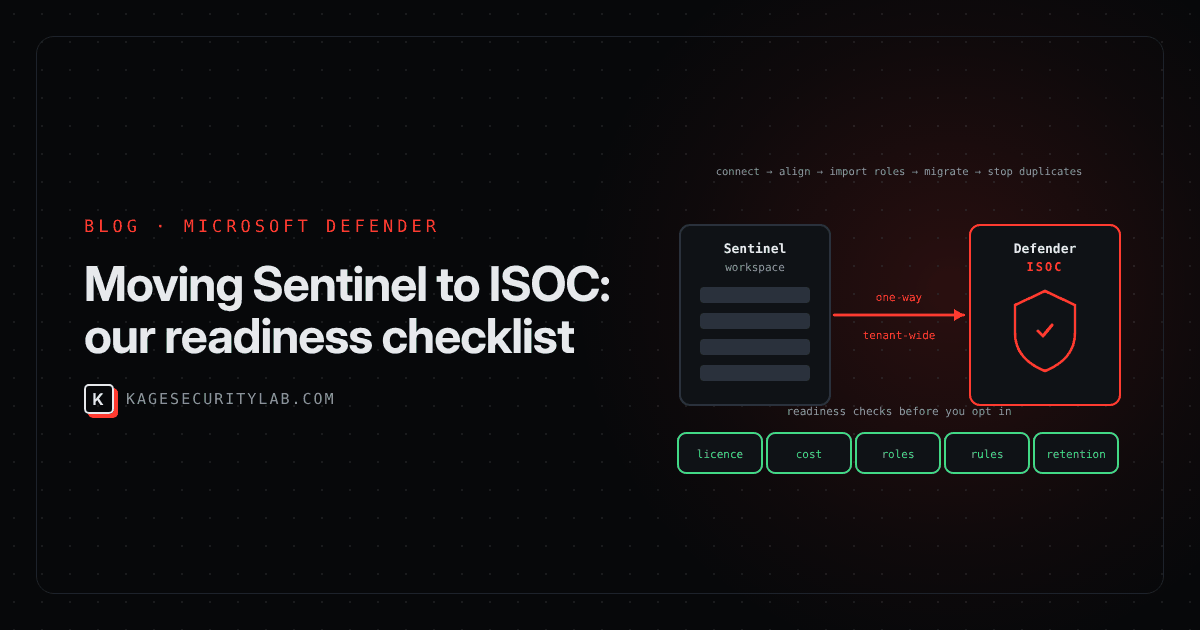
Microsoft's Integrated Security Operations Center (ISOC) puts XDR and SIEM in one place: the Microsoft Defender portal. For a team starting fresh with Microsoft 365 E5, E7 or the Defender Suite, that's simple: turn it on and start working cases. For a team that already runs Microsoft Sentinel, it's a migration with real money and real detection coverage at stake.
We've been working through this with customers since the public preview opened. This is the checklist we use before anyone clicks opt in.
Check 1: licence and eligibility
ISOC isn't sold on its own. It comes with Microsoft Defender Suite, Microsoft 365 E5 or Microsoft 365 E7. Before anything else we confirm:
- the tenant actually holds one of those licences for the users in scope
- whether the tenant onboarded to the Sentinel data lake before 23 September 2026. Those tenants can't opt in yet.
- whether an MSSP manages the workspaces, because delegation and content deployment change and Microsoft publishes separate MSSP guidance
Red flag: a mix of licensed and unlicensed business units sharing one tenant. The transition is all workspaces or none.
Check 2: the cost model
This is where most of the surprises are. ISOC replaces Sentinel's meters, and several things customers rely on today don't carry over:
| Today on Sentinel | After the move to ISOC |
|---|---|
| Negotiated Sentinel discounts | Don't carry over |
| Commitment tiers | Not available |
| Microsoft 365 data benefit (5 MB per user per day) | Doesn't apply |
| Dedicated cluster commitment | ISOC usage doesn't count toward it; unused commitment is still billed |
| Ingesting Defender XDR tables into the workspace | No longer needed: Defender data stays in Defender, with 90 days included for supported tables from 15 November 2026 |
The saving comes from that last row. The cost comes from the rows above it. So we measure both before giving advice. This query splits the last 30 days of billable ingestion into Defender XDR tables (which you stop paying to ingest) and everything else (which ISOC still bills):
let DefenderTables = dynamic(["DeviceEvents","DeviceProcessEvents","DeviceNetworkEvents","DeviceFileEvents",
    "DeviceRegistryEvents","DeviceLogonEvents","DeviceImageLoadEvents","DeviceInfo","DeviceNetworkInfo",
    "DeviceFileCertificateInfo","EmailEvents","EmailAttachmentInfo","EmailUrlInfo","EmailPostDeliveryEvents",
    "UrlClickEvents","IdentityLogonEvents","IdentityQueryEvents","IdentityDirectoryEvents","CloudAppEvents",
    "AlertInfo","AlertEvidence"]);
Usage
| where TimeGenerated > ago(30d) and IsBillable
| extend Bucket = iff(DataType in (DefenderTables), "Defender XDR tables", "Other data")
| summarize GB = round(sum(Quantity) / 1024, 2) by Bucket, DataType
| order by GB desc
Take the "Other data" total to your Microsoft account team and get an ISOC price including whatever discount you're losing. For a heavily discounted deployment on a commitment tier, the answer can go either way.
Check 3: who keeps access
Sentinel roles don't follow you into the Defender portal by themselves. In the onboarding flow you import them into Defender's unified RBAC, fix any import errors, and then activate the workloads. Imported roles do nothing until that last step. Secondary workspaces that contain Defender tables need manual role assignments.
What we verify: every analyst, engineer and automation identity (Logic Apps, managed identities, SOAR connectors) can still reach what it needs on day one. Losing analyst access during an incident is the most avoidable failure in the whole project.
Check 4: detection content
Most Sentinel estates have analytics rules, workbooks, playbooks and exports that query workspace copies of Defender tables. Each of those must move to Defender data before you stop ingesting, because the switch that stops ingestion applies to all supported Defender tables in a workspace at once.
We start with an inventory of where alerts come from today:
SecurityAlert
| where TimeGenerated > ago(30d)
| summarize Alerts = count(), Rules = dcount(AlertName) by ProductName, ProviderName
| order by Alerts desc
Then we search the exported rules or the CI/CD repository for Defender table names (DeviceProcessEvents, EmailEvents, IdentityLogonEvents and so on). Every hit needs a Defender-side replacement: usually a custom detection, created with the preview migration tool and run side by side with the old rule until it's proven. Watch for fields added with _CF transformations (they have to be computed in the query instead) and for data exports, which move to Defender's streaming API.
Check 5: data and retention
- ISOC only supports specific retention values. Tables set to something like 120 or 150 days need to move to a supported value such as 90 or 180 days first.
- Defender tables can be kept for up to 180 days at extra cost. Anything between 90 and 180 days is billed at the 180-day rate, and extended retention isn't backfilled, so switch it on before you need the history.
- Tables with 180 days or more of analytics retention stay ingested when you stop duplicate ingestion. Decide deliberately which ones those should be.
- Long-term audit data belongs in data lake retention, not in expensive analytics tiers.
The order we move in
| Phase | What happens | Why it's in this order |
|---|---|---|
| 1. Assess | Checks 1–5, cost comparison, go/no-go | Opting in can't be undone |
| 2. Connect | Every Sentinel workspace connected to the Defender portal, primary workspace chosen | Useful even if you never opt in: Sentinel leaves the Azure portal on 31 March 2027 |
| 3. Access | Roles imported, Defender RBAC workloads activated, access tested | Nobody gets locked out |
| 4. Content | Rules, workbooks, playbooks, DCRs, exports and pipelines moved to Defender data, validated side by side | Coverage stays intact |
| 5. Cut over | Duplicate ingestion stopped per workspace, only after every table is validated | It's all tables at once |
| 6. Tune | Duplicate alerts auto-resolved, SOC optimization recommendations reviewed | Clean queues, lower cost |
For a single-workspace customer with a modest rule set, phases 2–5 typically fit in a few weeks. Multi-workspace and MSSP-managed estates take longer, mostly in phase 4.
Should you move now?
- Move now: E5/E7 or Defender Suite tenants with no SIEM yet, or small Sentinel deployments that mostly ingest Defender data.
- Plan, then move: large estates with many custom rules, several workspaces or MSSP delegation.
- Wait: deployments that depend on deep Sentinel discounts or commitment tiers until pricing is clear, and early data lake tenants that can't opt in yet.
Whatever you decide about ISOC, connecting your workspaces to the Defender portal and sorting out RBAC (phases 2 and 3) are worth doing now.
How Kage can help
- ISOC readiness assessment: we run checks 1–5 and the cost comparison, and give you a written go/no-go with the numbers.
- Migration: our Defender XDR service moves detections, automation and access across with side-by-side validation.
- Run it for you: our Sentinel MDR service operates the unified queue after the move.
References
- Microsoft Learn: ISOC in Microsoft Defender
- Microsoft Learn: Data ingestion, retention and billing for ISOC
- Microsoft Learn: Transition an existing Microsoft Sentinel deployment to ISOC
- Microsoft Learn: SOC optimization recommendations for ISOC
- Microsoft Learn: Create an ISOC workspace
Based on Microsoft Learn documentation as of 20 November 2026. ISOC is in public preview, so features, retention and pricing can change; confirm against the current documentation and your agreement before you transition.